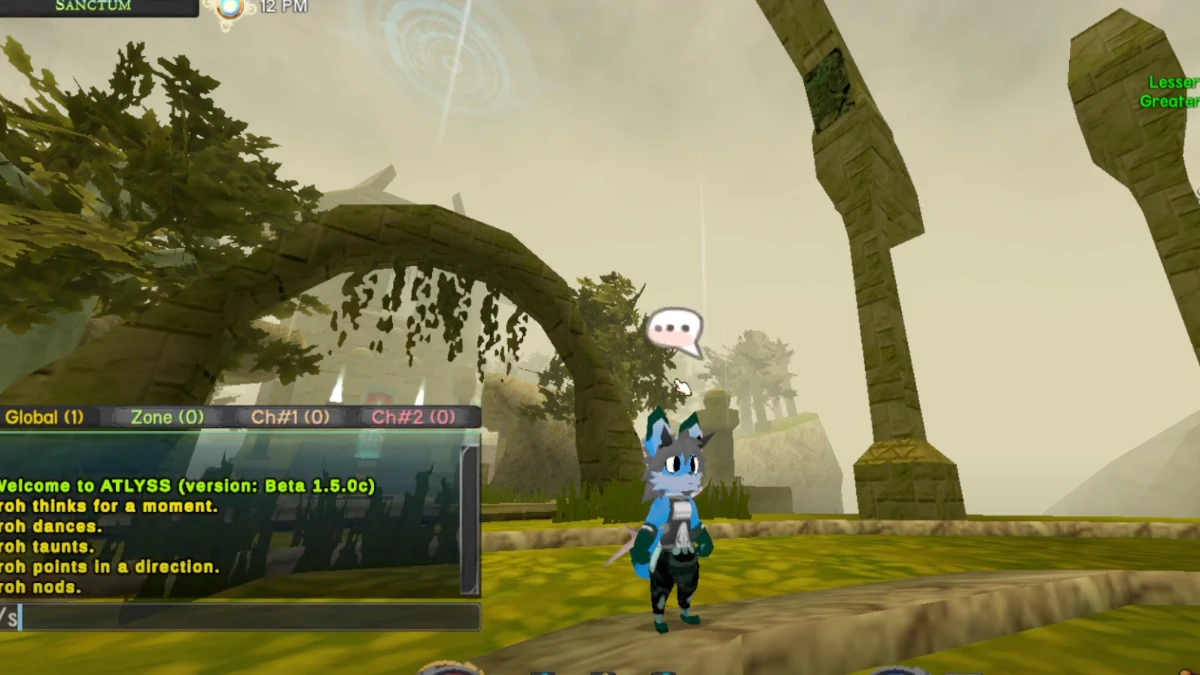
Press Enter to open chat, type a slash command, and press Enter again to send it. The in-game /emotes command prints the current list directly in chat, which is the most reliable fallback if a patch adjusts animations.
Current Emote Commands
| Command | Effect | Race / Pose Details |
|---|---|---|
| /sit | Basic sit pose | Available via default X key; pose varies by race |
| /sit2 | Alternate sit pose | Unique belly-flop flat sit for Changs; floating sit for Imps |
| /dance | Race-specific dance | Unique energetic dance sequence per race |
| /taunt | Looping taunt | Taunting gesture; can be cancelled with movement |
| /shrug | Expresses indifference | Quick shrug gesture |
| /clap | Applauds | Short clapping animation |
| /think | Thought pose | Displays a thinking gesture with a thought bubble |
| /ponder | Deep thought pose | Shares the thinking pose with custom chat action text |
| /point | Points forward | Points toward the character's facing direction |
| /nod | Nods head | Two quick head nods in agreement |
| /emotes | Prints command list | Lists active emotes and controls in chat |
Race Differences
Dance and sitting animations vary significantly by race. The Chang (mouse race) has a signature belly-down /sit2 pose where they lay completely flat. The Imp's floating hover sit is assigned to /sit2, while their standard /sit uses a grounded pose. Byrdles accept /sit2, though it currently mirrors their standard sit animation.
Emote Mods & Wheel UI
For players who prefer selecting emotes via a radial menu instead of typing chat commands, the community-created Atlyss Emote Wheel mod (by SnivyXXY, available on Thunderstore) adds an on-screen radial selection wheel and supports custom animation packs.
Chat System & Troubleshooting
ATLYSS multiplayer provides Global, Zone and numbered channels. Zone chat is instanced to players in the same map area.
If a command does not trigger:
- Press Enter and verify the chat input caret is blinking before typing. (Version 12026.a1 reverted the chatbox input field back to standard mesh for input reliability).
- Always include the leading forward slash without extra spaces or trailing punctuation.
- Type /emotes to verify whether the command exists in your current game version.
- If running chat or UI mods, launch vanilla to confirm mod compatibility.
- In settings, verify the configured Open Chat key if Enter has been rebound.